
AI Receptionist for HVAC Companies: 2026 Guide
The call that matters most arrives when you are already on a roof
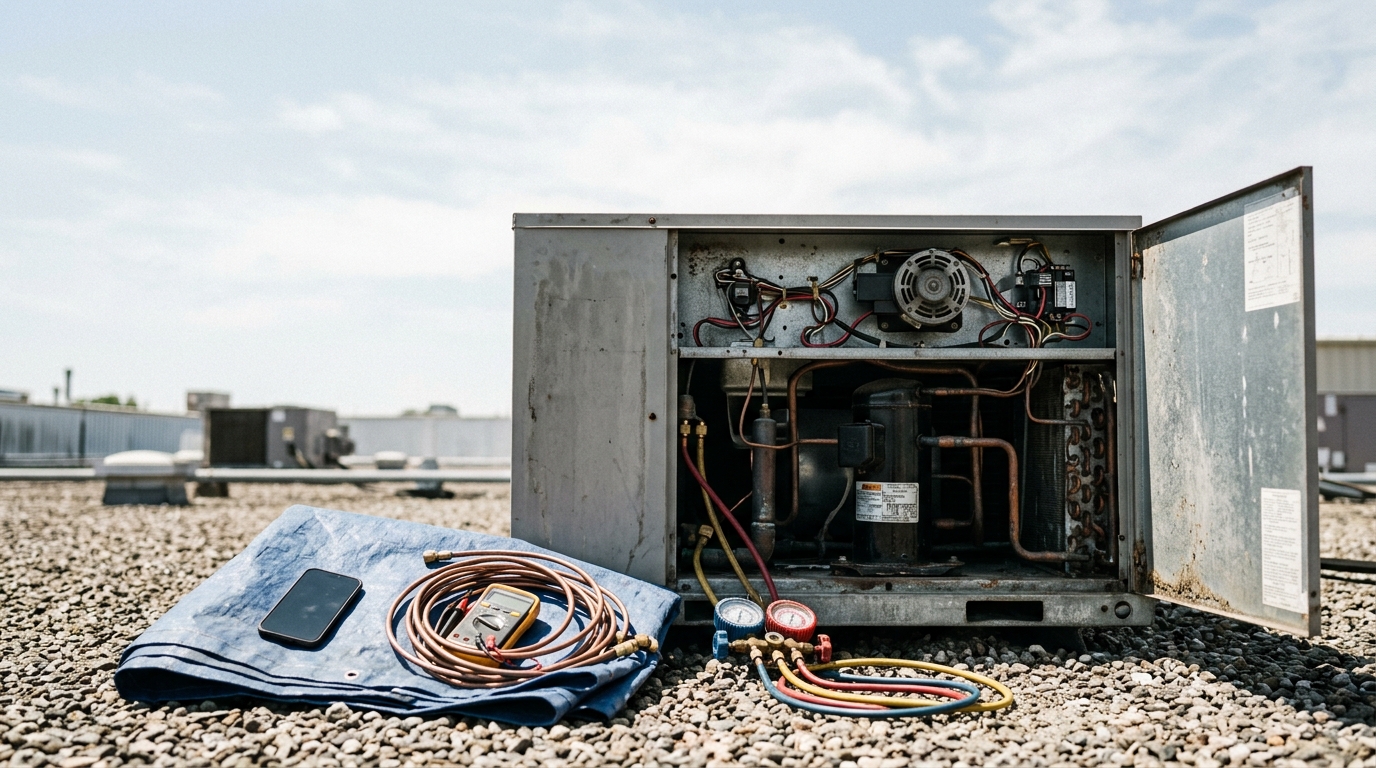
You are elbow-deep in a condenser on somebody's roof in August, gauges hooked up, refrigerant hissing. The phone buzzes in your pocket. It might be a supplier confirming a part, or it might be a family whose system just died at 2pm on the hottest day of the year, calling whoever picks up first. You cannot know which until you are off the roof, and by then the second caller has already dialled the next name on the list.
That is the pitch behind every AI receptionist vendor's HVAC landing page, and we should say plainly that we are one of them: No Missed Call is our product. Read what follows with that in mind, and check the links — every price and statistic here is dated and comes straight from the source, so you can go verify it yourself.
This is not a ranked list. It is the questions that actually decide whether one of these tools works for an HVAC business, plus an honest read on which products answer which way.
What the numbers actually support
Search this topic and you will hit the same handful of statistics on every vendor blog — a six-figure annual loss number, a specific percentage of calls going to competitors, a precise voicemail-abandonment rate. We went looking for the studies behind them in our fact-check of the missed-call statistics everyone quotes, and most trace back to nothing: a vendor blog citing another vendor blog, with no reachable dataset at the bottom. We do not repeat them, including a fresh batch of HVAC-specific versions of the same numbers that turned up again while researching this piece, all from marketing blogs with no methodology disclosed.
Here is what actually survives checking.
- Roughly a quarter of calls to home-services businesses go unanswered. Invoca, a call-tracking platform, discloses from its own platform data that 27% of calls to home services businesses are not answered. CallRail separately publishes 28% of calls to businesses going unanswered, drawn from its own beta-programme customers. Both are vendor-disclosed platform data rather than independent research, but both name their dataset, which is more than almost anything else in this category can say.
- Voicemail does not catch what a missed call drops. The same Invoca page states its platform data shows fewer than 3% of callers pushed to voicemail leave a message. It is the only figure on the subject we could find with a named dataset attached.
- Speed beats almost everything else. The Harvard Business Review study of online lead response found firms contacting a lead within an hour were about seven times more likely to qualify that lead than firms waiting one more hour. It is from 2011 and studied web leads, not HVAC phone calls, so treat it as directional — it is still the most rigorous data point anywhere near this topic.
- The callback rarely lands. Hiya's State of the Call 2026, a survey of more than 12,000 consumers across six countries, reports 86% of calls from unknown numbers go unanswered. Your callback an hour later, from a number the homeowner has never seen, is exactly that kind of call.
None of this proves an AI receptionist will save the sale. It establishes that the missed call is real, and that catching it after the fact is unreliable.
Three products all call themselves an AI receptionist for HVAC
This is where most comparison pages skip a step, and it is the decision that matters most.
Standalone AI receptionist apps. A phone number, a knowledge base you write about your services and service area, and calls that route to it directly. It writes back with a transcript and summary, and sometimes a calendar booking. It knows nothing about your dispatch board unless you connect it yourself.
AI built into the field-service platform you already run. Jobber, Housecall Pro and ServiceTitan all sell call answering inside the same system that already holds your customers, techs and job history. The value is not the voice — it is that a booked call becomes a real dispatch entry without anyone re-typing it.
Human answering services. Still a live person, often with AI layered around the edges for routing or summaries. Priced per minute, and priced like it.
Which one fits depends far more on how your business already runs than on any feature comparison. A two-person HVAC outfit running a paper schedule and a six-tech shop dispatching out of ServiceTitan are not shopping for the same thing, even though every vendor page will show them the same demo.
What actually decides it for an HVAC business
1. The billing model, given how spiky HVAC call volume really is
HVAC has a rhythm most trades do not: two demand peaks a year, driven by weather, not by marketing. A heat wave or a hard cold snap can double your call volume in a single week, and that is precisely when a per-minute or per-call bill grows fastest.
| Billing model | Example | What happens during a heat wave |
|---|---|---|
| Per minute | Human answering services | Bill scales directly with talk time |
| Per call | Smith.ai AI plans | Bill scales with call volume |
| Per unique caller | Goodcall | Long diagnostic calls cost nothing extra; new callers do |
| Flat monthly minutes | Rosie, No Missed Call | Predictable until the cap, then it pauses or you upgrade |
A flat unlimited-calls model, like Clara's, removes the spike risk entirely — the trade-off is a lower ceiling on what the agent can actually do, which the next section covers. We made the longer version of this argument, with the full published price cards, in our cost comparison of AI receptionists and answering services.
2. Whether it can actually run a diagnostic conversation
A plumbing call is usually "where's the leak." An HVAC call is more often "the thermostat says 78 and it's set to 68, the outside unit is making a clicking noise, and I don't know if it's the compressor or the capacitor." That is more information for an agent to hold and more judgment about what counts as urgent.
Some products let you upload real documentation to train the agent — Rosie's Growth plan includes custom agent training from uploaded policy documents (read from its pricing page in September 2026), while its $49 entry plan is limited to two custom message-taking scenarios. If your call volume genuinely needs nuanced triage, that is a real difference between tiers, not a marketing distinction.
3. What happens on a genuine no-heat or no-cool emergency
This is not a message-taking event for a family with a newborn and an outside temperature of 12°F. Ask any vendor exactly what the AI does when a caller describes an emergency: can it ring your cell mid-call, or does it politely log a message for the morning?
The price cards draw a real line here. Clara's entry plan does not include live call transfers at all — that feature sits on Clara Pro at $69.99 a month (verified September 2026). Rosie puts live and warm transfers on its $149 Scale plan rather than its $49 entry plan; the entry tier only texts an appointment link. Human services tend to handle this better by default — PATLive includes emergency dispatch on every plan, which is what trained people are for.
4. Where the booked job actually lands
"Books appointments" can mean an event on a Google Calendar, or it can mean a scheduled job on a real dispatch board with the customer's equipment history attached. For a solo technician those are close enough. For a shop assigning jobs to specific techs by service zone, they are not the same thing at all, and the second one is worth paying for.
If you already run field-service software, start there
All three major HVAC platforms now sell call answering inside the product, and the prices below were confirmed on each vendor's own page in September 2026.
Jobber sells its AI Receptionist as a $29 a month add-on on top of any plan, which start at $29 a month for Core. It answers by call or text around the clock and books into your calendar, with owner-set controls on what it is allowed to do. No minute or call allowance is published for the add-on. If you already run Jobber, an AI at that price writing directly into the system you dispatch from is a very hard combination for a standalone product to beat on convenience.
Housecall Pro runs two answering products side by side: a built-in AI that answers calls and books jobs, and HCP Assist, trained human agents on flexible minute plans. Base plans start at $59 a month (September 2026). Neither answering product has a published price on Housecall Pro's own site — treat it as a quote conversation, and be wary of third-party listicles that print a number for it, because we could not find one on the vendor's page.
ServiceTitan pairs an AI Virtual Agent with its Contact Center product, aimed at larger operations. All three packages are still marked "Request Pricing" with per-technician billing — nothing is published, as of September 2026.
The standalone options, priced from their own pages
Every figure below was confirmed on the vendor's own pricing page in September 2026.
| Product | Entry price | What that buys |
|---|---|---|
| Clara (heyitsclara.com) | $39.99/mo | Unlimited calls, no per-call or per-minute charge; live transfers require Clara Pro at $69.99/mo |
| Rosie | $49/mo | 250 minutes, spam detection, appointment links by text, iOS and Android apps |
| Goodcall | $79/mo per agent | Unlimited minutes, metered at 100 unique callers a month, then $0.50 each |
| Smith.ai AI | Free, then $3.00/call | 25 calls a month free, Pro plan $150/mo; human plans priced separately |
| PATLive | $189/mo for 100 min | US-based human receptionists, emergency dispatch included on every plan |
Clara answers unlimited calls at a flat fee, which removes the heat-wave billing spike entirely — the trade-off is that live transfers, the feature you most want on the worst calls, sit behind the $69.99 Pro tier. Note the disambiguation: this is Clara at heyitsclara.com, run by 44pixels Ltd. An unrelated getclaraai.com exists at a different price point.
Rosie sits closest to No Missed Call on price band, native mobile apps and simultaneous-call handling, with the same trade-off pattern: the entry plan trades calendar booking and live transfer for a lower price.
Goodcall bills by unique caller rather than by minute, so a long diagnostic call costs nothing extra — useful if your calls run long and infrequent rather than short and constant.
Smith.ai is the most mature product here and the right call if you sometimes need a real person mid-conversation. Its billing is per call, and its add-ons are priced per call too.
PATLive is the honest benchmark for what trained humans cost: $189 a month for 100 minutes, roughly 40 calls by its own conversion. If a call involves a distressed customer, an insurance question, or judgment you would not trust to an AI, that is what buys it.
Where these products beat No Missed Call
Plainly, in a few real places.
If you already run Jobber, Housecall Pro or ServiceTitan, their native AI writes straight into the dispatch board your whole operation runs on. No Missed Call syncs with Google Calendar and exposes webhooks and a REST API, but it does not natively drop a scheduled job onto any of those three platforms — for a multi-tech HVAC shop, that is a genuine gap, not a footnote. Clara's flat unlimited-calls fee has no minute cap to run into during a heat wave. Rosie's entry tier includes automatic spam detection; in No Missed Call, Spam Filters are a Premium feature. And on a genuinely distressed no-heat call with an elderly resident, a trained human at PATLive will out-perform any AI on this page.
Where No Missed Call fits
No Missed Call is an app-first AI receptionist built for the HVAC business that runs from a phone rather than a dispatch office. Setup takes a few minutes, you pick an industry so the agent starts out knowing basic HVAC vocabulary, and you forward your existing business number so customers keep calling the number on the truck.
Per the Help Center, plans are sized in minutes — 250 a month on NMC Pro, 500 on NMC Premium — and only time the AI spends talking counts against that. Calls you answer yourself through ring-my-phone-first are free. Billing runs through the App Store and Google Play, which is why no dollar figure appears here for it — the stores are the source of truth and change without notice. Run out of minutes and callers hear a brief unavailable message while ring-first keeps working until your reset date.
Its honest limits for this trade specifically: minutes rather than unlimited, no native ServiceTitan, Housecall Pro or Jobber dispatch integration, and spam filtering gated to the Premium tier.
A test that separates the pitch from the product
Whichever you pick, test it like a caller, not like an owner.
- Load real information first. Your actual service radius, trip-charge policy, and what genuinely counts as an emergency versus a scheduled visit. An agent that does not know your real emergency criteria will either escalate a routine tune-up or sit on a real no-heat call.
- Call it yourself and describe a no-heat emergency. Ask what it does next. Ask an equipment or warranty question that is not in its knowledge base, then read the transcript to see how it handled not knowing.
- Forward the line for a week, not a day. Conditional forwarding, where the AI only answers calls you missed, is the lower-risk way to start.
- Read the transcripts, not the summaries. That is where you find whether it sounded like your business and whether the emergency logic actually fired.
- Watch what happens on the next weather swing. A heat wave or cold snap is the real test of both the billing model and the emergency handling — you will not see it in the first calm week.
If after-hours coverage specifically is the part you are weighing, our guide to after-hours call handling covers the full set of options, including the ones that do not involve buying anything at all.
Frequently asked questions
How much does an AI receptionist for an HVAC company cost?
Standalone products start around $39.99 to $79 a month as of September 2026 — Clara at $39.99, Rosie at $49 for 250 minutes, and Goodcall at $79 per agent. If you already run Jobber, its AI Receptionist add-on is $29 a month. A trained human answering service costs considerably more: PATLive charges $189 a month for 100 minutes. Every price here was read from the vendor's own page in September 2026 — check before you buy, because these move.
Can an AI receptionist tell a no-heat emergency from a routine tune-up call?
Only if you train it to. Every product in this category learns from a knowledge base you write, not from general HVAC expertise, so it will not know that a shutdown furnace at 10°F outside is urgent unless you told it so. Set explicit rules for what counts as an emergency and what the agent should do about it — take a message, text you, or attempt a live transfer — before you forward a single call.
Will it book directly into ServiceTitan, Housecall Pro or Jobber's dispatch board?
Depends entirely on which product you pick. AI receptionists built into Jobber, Housecall Pro or ServiceTitan write the job straight onto the board you already dispatch from. Standalone AI receptionists generally book into a calendar such as Google Calendar and reach the rest of your stack through Zapier, webhooks or an API. For a two-truck outfit a synced calendar is often enough; for a shop juggling six techs across service zones, native dispatch usually is not optional.
Does an AI receptionist know how to answer warranty and equipment questions?
Only what you teach it. A caller asking whether their five-year-old condenser is still under a manufacturer warranty needs an agent trained on your specific brands, registration process and paperwork — that is a knowledge-base entry you write, not something any of these products know out of the box. Products that let you upload full documents to train the agent, such as Rosie's custom agent training on its Growth plan, handle this better than ones limited to a short FAQ list.
What happens to call volume during a heat wave or cold snap?
It spikes hard and fast, which is exactly when a per-minute or per-call bill grows fastest too. This is where the billing model matters more for HVAC than almost any other trade — see the pricing-model breakdown below before you commit to one.
Is an AI receptionist better than voicemail for after-hours HVAC calls?
On the available evidence, voicemail performs badly as a fallback: Invoca reports from its own platform data that fewer than 3% of callers pushed to voicemail leave a message. Calling back later is weaker than it feels, too — Hiya's State of the Call 2026 finds 86% of calls from unknown numbers go unanswered, and your callback from an unfamiliar number is one of those calls. Something that answers live, whoever or whatever is doing the answering, beats a silent voicemail box.
Try it on your own phone
No Missed Call is an AI receptionist that answers your business line 24/7, books appointments straight into your calendar, and sends you a transcript and summary of every call. Setup takes minutes from your phone, and there is a 7-day free trial.
Download on the App Store · Get it on Google Play · Read the Help Center
